Shipsite or Staticx for API Deployment
If you are weighing ShipSite or StaticX for API deployment, here is the direct answer: use ShipSite for the static half of your project (the HTML, CSS, JavaScript, and assets that your API serves to browsers) and run the API process itself on something that executes code, such as a small VPS, a container platform, or a serverless function. ShipSite publishes a static site from a single POST request, priced at $3 for one site for a month or $0.10 for one site for two hours. ShipSite is not an API host and will not run Python, Node, Go, or any server-side logic, and StaticX does not host anything either. The open source StaticX tool packages a Linux binary with its shared libraries into one portable executable that you still have to run on a server, and the separately named staticx.site is another static file host, not an API runtime.

Key takeaways:
- ShipSite is static hosting driven by an API, not hosting for an API. One
POST /v1/sitescall with your files returns a live URL served from 300+ edge locations, and there is no runtime for server code. - StaticX, the PyInstaller companion tool, is a packaging step, not a deployment target. It bundles a dynamically linked Linux executable into a single self-contained file; you still need a VPS or container to run the API.
- staticx.site is a different product from the StaticX binary tool. It markets itself as static hosting with a REST API and a dashboard, and like ShipSite it serves files rather than executing API routes.
- ShipSite pricing is usage based and prorated daily, billed monthly through Stripe: $3 for one site for a month, $30 for ten sites for a month, $0.10 for one site for two hours. Custom domains are an optional flat $4.99 per billing period covering up to 25 domains.
- The safest pattern for a static frontend plus an API is one origin: a reverse proxy routing
/api/*to your process, or a ShipSite custom domain with the API on a subdomain and explicit CORS headers. - No account is needed for a first deploy.
POST /v1/siteswith no API key creates a free 24-hour trial site (up to 50 files, 5 MB), so you can test the workflow before signing up.
What does "ShipSite or StaticX for API deployment" actually mean?
The phrase mixes two different jobs. ShipSite is a static hosting service that you deploy to through an API, so it fits the meaning "deploy via API". StaticX is either a Python packaging tool that turns a binary into one static executable, or staticx.site, a static host.
The confusion is understandable because three similarly named things show up in search results. ShipSite at shipsite.sh is the service we run: send files as JSON, get a live URL, no git, no build steps, no dashboards. ShipStatic is a separate agent-driven static deployer that ranks for similar queries, and shipsite.co is an unrelated static hosting product with a different upload flow. We only make claims here about shipsite.sh.
The decision rule is simple. If the question is "how do I publish files from an agent or a script with an API call?", ShipSite answers it. If the question is "how do I turn my Python API into something I can drop on a bare server?", the StaticX binary tool answers it. If the question is "where does my API process actually run?", the answer is a VPS, a container platform, or serverless functions, and we cover those below.
Is ShipSite able to host an API, or only static files?
Only static files. ShipSite serves exactly what you send: HTML, CSS, JavaScript, images, fonts, and JSON. There is no server runtime, no serverless functions, no database, and no request handler. A JSON file uploaded as api/data.json is served as a static GET response, which covers read-only data, but any write, auth, or validation logic must live elsewhere.
The entire deploy flow is one request. You send POST https://api.shipsite.sh/v1/sites with a bearer API key and a files object where text files are strings and binary files carry a base64: prefix. The response returns a site id, a URL such as https://a7x9k2.shipsite.sh, and an expires_at timestamp. Sites auto-expire in 24 hours unless you pin them to keep them. You can also skip authentication entirely for a first deploy: POST /v1/sites with no API key creates a free 24-hour trial site limited to 50 files and 5 MB, so an agent or script can test the workflow without signing up.
This design is why ShipSite is built for LLM agents rather than for human dashboards. It works as a tool in Claude Code, Cursor, Windsurf, and any MCP-compatible agent, every error response says what went wrong, why, and how to fix it so the agent can self-correct, and there are no injected banners, badges, or tracking scripts. Your files are served exactly as deployed, on 300+ edge locations, before the API response lands.
What ShipSite does not give you is a place for a Flask route, an Express handler, or a Postgres connection. If your "API deployment" means those things, keep reading for where they belong.
What is StaticX, and does it deploy an API or just package one?
StaticX is an open source command line tool that takes a dynamically linked Linux executable, such as a PyInstaller build of a FastAPI or Flask app, and bundles it with its shared libraries into a single file that runs on almost any Linux distribution. It packages; it does not deploy.
The tool lives on GitHub at JonathonReinhart/staticx and is typically run after PyInstaller: pyinstaller --onefile app.py followed by staticx dist/app app-static. The output has no dependency on the target machine's glibc version or installed Python, which is useful for a minimal VPS image or a scratch-based container.
Rust projects rarely need StaticX because Cargo can target x86_64-unknown-linux-musl and produce a static binary directly. Go produces static binaries by default when cgo is disabled. StaticX earns its place mainly for Python and C programs that drag in shared libraries.
The other StaticX, at staticx.site, is a hosted static site platform that publishes a REST API, scoped tokens, a visual dashboard, and monthly plans with site, storage, and seat limits. Confirm current prices on its pricing page. Its scope is the same category as ShipSite, static file hosting, so it is not an alternative to running your API server either. The honest comparison is ShipSite versus staticx.site for static hosting style (one-call agent deploys versus dashboard plus team features), and StaticX the tool versus Docker for how you ship the API binary.
How do you deploy a static frontend and a REST API together without CORS problems?
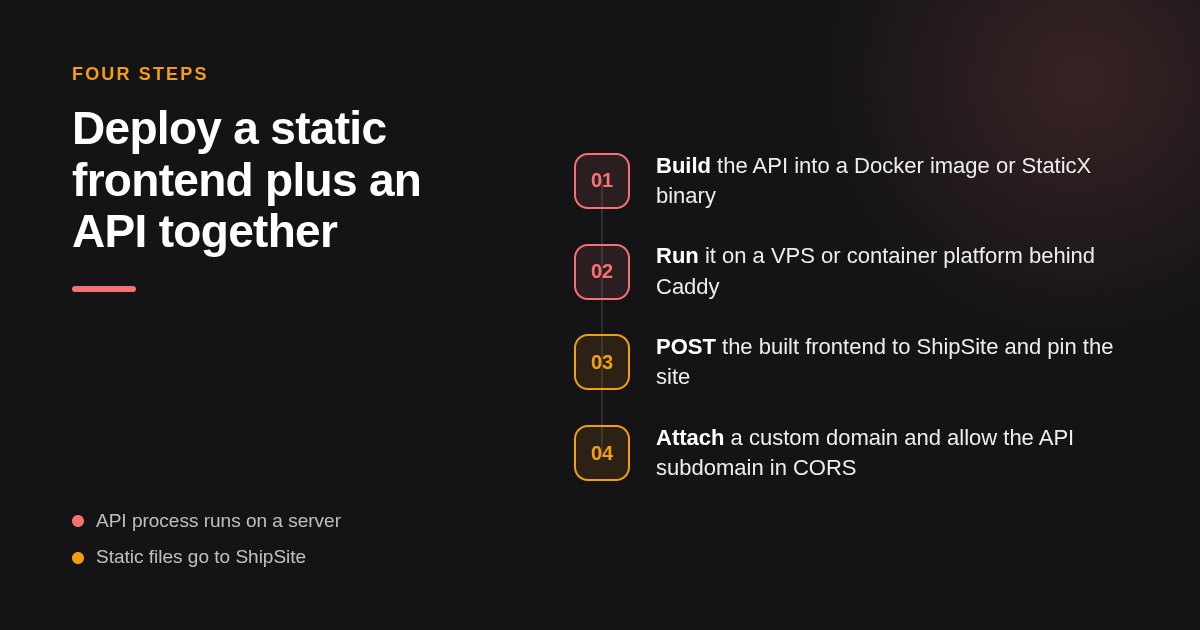
Serve both from one origin, or set explicit CORS headers. Put a reverse proxy like Caddy or Nginx in front, route /api/* to the API process and everything else to static files. If the frontend lives on ShipSite and the API elsewhere, use a custom domain for the site and a subdomain for the API, then allow that origin.
Cross-origin errors happen because browsers block a page on one origin from reading responses from another unless the server opts in, as documented in MDN's guide to CORS. Same-origin routing sidesteps the whole mechanism. A common Docker Compose layout is three services: web (static files or a build artifact), api (your StaticX binary or container), and proxy (Caddy or Nginx) exposing port 443 and forwarding by path prefix.
When the frontend sits on ShipSite, you can still get a clean domain story. ShipSite's custom domains feature, described in the ShipSite changelog, lets an agent call POST /v1/sites/:id/domains with a hostname, returns the single CNAME record to add (pointing at domains.shipsite.sh), issues HTTPS automatically, and exposes GET /v1/sites/:id/domains/:hostname to poll until status is active. Domains attach to pinned sites, with up to 5 domains per site and 25 per account, on the flat $4.99 per billing period plan.
So a workable split is www.example.com on ShipSite and api.example.com on your API host. The API then sets Access-Control-Allow-Origin: https://www.example.com, and if you use cookies you set SameSite=None; Secure with a Domain=example.com attribute, or switch to bearer tokens in an Authorization header to avoid cookie scoping entirely.
Which deployment target is cheapest and most reliable for a small API?
For a low-traffic API, a single small VPS running the process under systemd or Docker is the cheapest predictable option; entry instances from major providers are listed at a few dollars per month. Serverless functions win when traffic is bursty and you accept cold starts. Container platforms sit between: more convenience than a VPS, more cost at steady load.
The operational differences matter more than the sticker price. A VPS gives you full logs, your own rollback strategy (keep the previous binary or image and swap the symlink), and no cold starts, but you own patching and uptime. Serverless platforms such as Cloudflare Workers, Vercel Functions, and Netlify Functions remove ops work and scale to zero, but add cold start latency on some runtimes and impose execution time and size limits. Container platforms such as Fly.io, Railway, and Render deploy from a Dockerfile, provide logs and rollbacks in the dashboard, and charge per instance or per resource. Confirm current pricing on each vendor's site before deciding.
| Option | Best for | Pricing or format | Standout limit |
|---|---|---|---|
| ShipSite | The static frontend, deployed by an agent in one POST | Usage based: $3 for one site for a month, $0.10 for one site for two hours | Serves files only; no server-side code |
| Small VPS (DigitalOcean, Hetzner, Linode) | Steady low traffic API with full control | Fixed monthly instance price | You manage OS updates, TLS, and uptime |
| Serverless (Cloudflare Workers, Vercel or Netlify Functions) | Bursty traffic, scale to zero | Request based with free allowances | Cold starts and execution time limits |
| Container platforms (Fly.io, Railway, Render) | Dockerized APIs with dashboard rollback | Per instance or per resource billing | Costs grow with always-on instances |
| StaticX (binary tool) | Packaging a Python API for a minimal Linux host | Free, open source | Not a host; you still need a server |
A reasonable default for a solo developer is a StaticX or Docker artifact on one VPS behind Caddy, with the frontend on ShipSite so an agent can redeploy the UI without touching the server.
When should a site be fully static instead of backed by your own API?
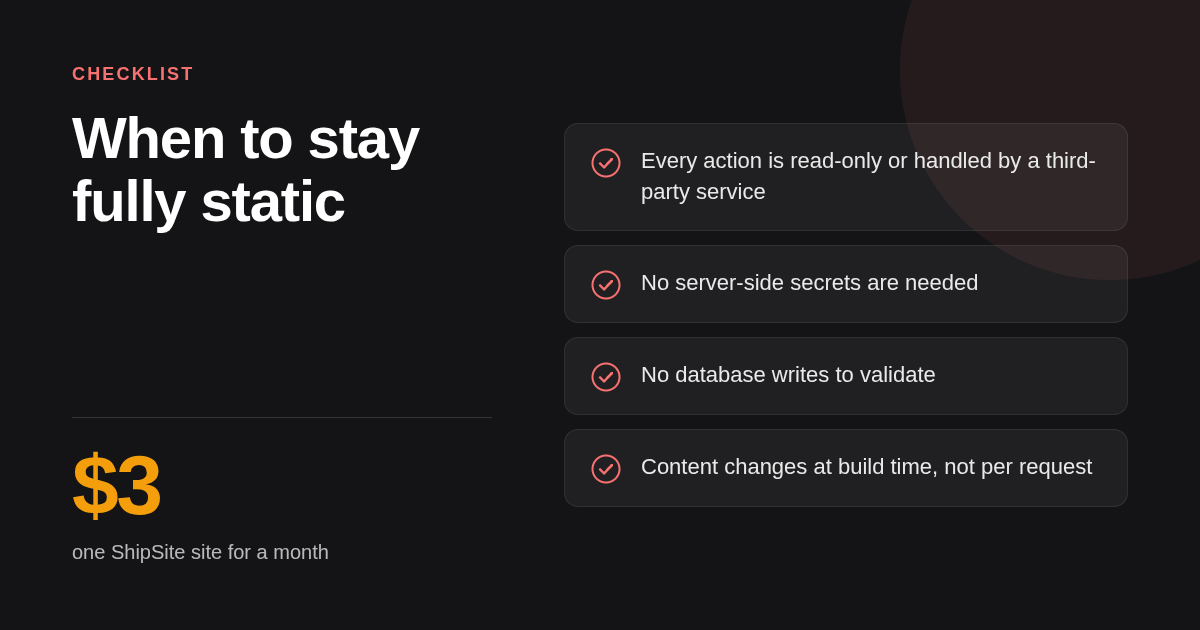
Go fully static when every dynamic need can be met by the browser plus third-party services: forms through a hosted form endpoint, search through a prebuilt index, comments through a hosted widget, payments through Stripe Checkout links. Build your own API when you need private data, user accounts, server-side secrets, or writes that must be validated.
For a portfolio or blog, fully static is almost always the right call. Content changes at build time, there is nothing to authenticate, and a static host has no process to crash. A ShipSite site stays live for 24 hours by default and can be pinned to keep it forever, which fits a personal site that gets updated whenever an agent regenerates it.
The moment you need to store something a visitor submits and act on it (a waitlist with deduplication, a dashboard with per-user data, an order flow with inventory checks), you have crossed into API territory. At that point the static site remains the frontend and the API becomes a second deployable, which is exactly the split this article describes.
A quick test: list every action a visitor can take. If each one is either read-only or handled by a service you do not operate, stay static. If any action requires your own secret, your own database write, or your own validation, you need an API process.
How do you run ShipSite agent deploys alongside a traditional API pipeline?
Treat them as two lanes in one pipeline. The API lane builds a container or StaticX binary, pushes it, deploys to the VPS or platform, and keeps the previous version for rollback. The static lane updates the existing ShipSite site in place and relies on built-in versioning for rollback.
In practice the API lane looks like: run tests, build the artifact, tag it with the commit SHA, push to a registry or copy to the server, restart the service, run a health check, and roll back to the previous tag if the check fails. Per-environment configuration lives in environment variables injected at runtime, never baked into the artifact, consistent with the OWASP Secrets Management Cheat Sheet.
The static lane is shorter: build the frontend with the environment's API base URL set at build time, then update the site with PUT /v1/sites/:id, which changes only the files included in the request, leaves existing files untouched, and deletes a file when its value is null, all in one atomic step. For a full build-folder replacement where you want files that are no longer in the output removed automatically, use the CLI instead: npx shipsite ./dist --site <id>. Each site keeps its 10 newest versions, and POST /v1/sites/:id/rollback restores the previous version instantly, so rollback is a single API call rather than a full redeploy. Staging is just a second site created with POST /v1/sites that you let expire after 24 hours rather than pin. Pricing follows usage, so a short-lived preview costs cents rather than a monthly seat.
Two purpose-built tools make the static lane even simpler in CI. The ShipSite CLI lets you deploy a directory in one command: npx shipsite ./dist --site <id>. The "Deploy to shipsite.sh" GitHub Action (coolsoftwaretyler/shipsite-deploy-action@v1) wraps the same flow for GitHub Actions workflows. Both accept a deploy-scoped API key, a restricted key type that can manage sites but cannot access account settings or billing, so it is safe to store as a CI secret.
HTTPS is handled on both sides without manual certificate work. ShipSite issues certificates automatically for custom domains, and Caddy on the VPS obtains certificates for the API subdomain on its own. Credentials for the ShipSite lane come from POST /v1/accounts with an email, which returns an API key shown once plus a Stripe checkout link that a human must complete before any other call works. The agent registration guide at auth.md walks an agent through a guided track for non-technical users and a developer track for engineers, including where to store the key.
How did we compare these options?
We compared the published documentation and pricing pages of ShipSite, the StaticX GitHub project, staticx.site, and the VPS, serverless, and container platforms named above, focusing on three things: what each tool actually executes or serves, how it is priced, and what it cannot do. ShipSite figures come from our own pricing and API documentation.
How do you get started with ShipSite?
You can start without an account: POST /v1/sites with no API key creates a free 24-hour trial site (up to 50 files, 5 MB), so you can see a live URL immediately. When you are ready for pinned sites, custom domains, and higher limits, ask your agent in Claude Code, Cursor, Windsurf, or any MCP-compatible tool to create a ShipSite account with your email, complete the Stripe checkout link it hands back, and let it POST your first files. You will have a live URL on the global edge network within the same conversation, and your API can keep running wherever it runs today.
What do people also ask?
What does API stand for?
API stands for Application Programming Interface. It is a defined set of requests and responses that lets one program talk to another. ShipSite's API, for example, accepts a POST request with your files and responds with a live URL, so an agent can publish a site without a dashboard.
Can you give me an example of an API?
ShipSite's site creation endpoint is a concrete example: send POST https://api.shipsite.sh/v1/sites with a bearer key and a files object such as {"index.html": "Hello, world"}, and the response returns a site id, a URL like https://a7x9k2.shipsite.sh, and an expires_at timestamp.
Can I build my own API?
Yes. Write it in a framework such as FastAPI, Flask, Express, or Axum, then package it as a Docker image or a single binary (StaticX for Python, musl targets for Rust) and run it on a VPS, a container platform, or a serverless runtime. Host the frontend separately on a static host like ShipSite.
How do you host an API?
Pick a target that runs code: a small VPS with systemd or Docker behind Caddy or Nginx, a container platform like Fly.io, Railway, or Render, or serverless functions on Cloudflare Workers, Vercel, or Netlify. Static hosts such as ShipSite and staticx.site serve files only and cannot run an API process.
Can I add API-like functionality to a static site on ShipSite without my own server?
Partly. You can ship read-only JSON files alongside your HTML and call third-party services from the browser for forms, search, comments, and payments. Anything that needs secrets, database writes, or server-side validation requires a real API process on a VPS, container platform, or serverless runtime, with the ShipSite site as its frontend.
Related Articles



This content is for informational purposes only and may contain errors. Please contact us to verify important details.