Best Static Site Deployment Platform 2026: 9 Picks Compared
The best static site deployment platform 2026 depends on who is doing the deploying. If an AI agent or a script is shipping the site, ShipSite is our top pick: one POST request sends your files and returns a live URL on 300+ edge locations, priced at $3 per site per month with no free tier. ShipSite is not a git-connected build platform, so if you want push-to-deploy with branch previews and build minutes, Cloudflare Pages is the strongest free option and Vercel or Netlify are the best framework-aware choices.
Key takeaways:
- ShipSite deploys a static site with a single API call and charges $3 per site per month, prorated daily, or $0.10 for a site that lives 2 hours; there is no free tier and no build step.
- Cloudflare Pages is the only major free tier with unlimited bandwidth; its free plan allows 500 builds per month and 1 concurrent build.
- Vercel and Netlify both cap free bandwidth at 100 GB per month and move teams to paid seats at $20 and $19 per member per month respectively.
- GitHub Pages is free on public repositories but enforces soft limits of 1 GB per site, 100 GB of bandwidth per month, and 10 builds per hour.
- AWS S3 with CloudFront is the cheapest route at scale thanks to CloudFront's always-free 1 TB of monthly data transfer, but it demands the most setup.

Which static site deployment platform is best in 2026?
ShipSite is the best static site deployment platform in 2026 for agent-driven and API-driven publishing because one POST request turns files into a live URL with no git, build pipeline, or dashboard. For human developers who push code to a repository, Cloudflare Pages, Vercel, Netlify, and GitHub Pages remain excellent, each winning a specific job.
Here is our top five, ranked by the job each platform does best rather than by a vague quality score.
-
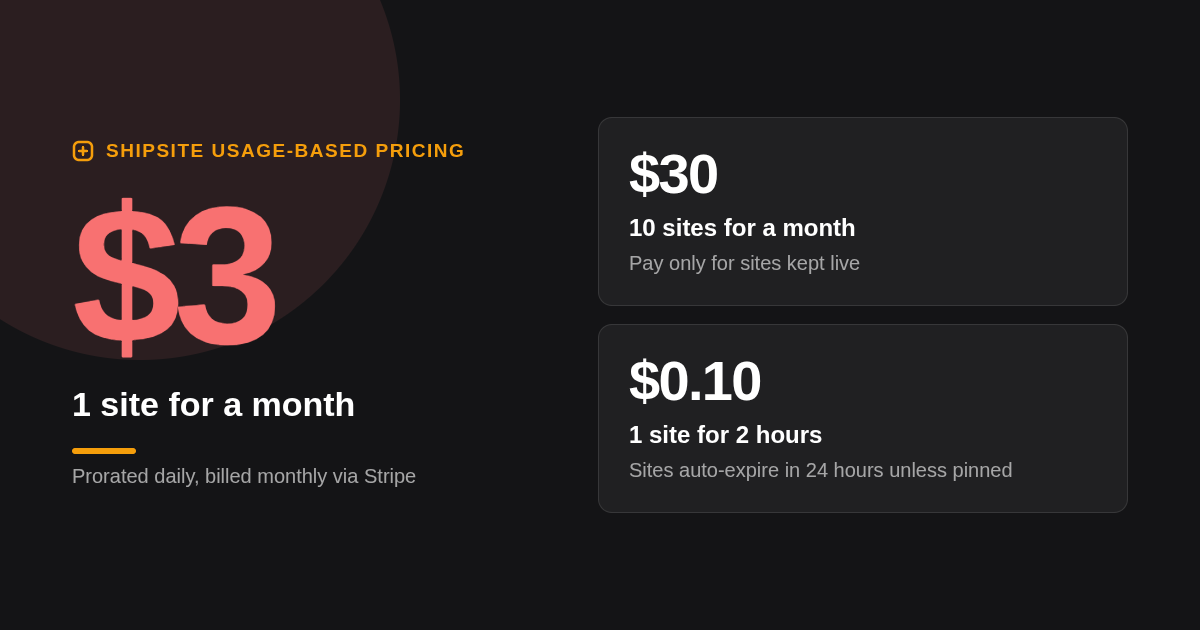
ShipSite: best when an AI agent or script needs a live URL right now. Your agent sends files as JSON to POST /v1/sites and gets back a site id, a URL, and an expiry timestamp. Pricing is usage-based: 1 site for a month is $3, 10 sites for a month is $30, and 1 site for 2 hours is $0.10, billed monthly through Stripe. It works as a tool in Claude Code, Cursor, Windsurf, and any MCP-compatible agent. Honest limit: there is no free tier, no git integration, and no build runner, so you or your agent build locally and send the output.
-
Cloudflare Pages: best when you need free unlimited bandwidth. The free plan includes unlimited bandwidth and unlimited sites, 500 builds per month, and 1 concurrent build; Pro is $20 per month with 5,000 builds and 5 concurrent builds (confirm current pricing on cloudflare.com). Honest limit: Cloudflare now recommends Workers with static assets for new projects, so check which product you are actually signing up for.
-
Vercel: best when the site is Next.js or you want the smoothest preview deploys. The Hobby plan is free with 100 GB of bandwidth, and Pro is $20 per member per month (confirm on vercel.com). Honest limit: Hobby is restricted to personal, non-commercial use, so any business site needs Pro from day one.
-
Netlify: best when you need forms, redirects, and headers without a backend. The free plan includes 100 GB of bandwidth, 300 build minutes, 1 concurrent build, and 100 form submissions per month; Pro is $19 per member per month (confirm on netlify.com). Honest limit: 300 build minutes disappears quickly if a large Hugo or Astro site rebuilds on every push.
-
GitHub Pages: best when the repository is public and the site is docs or a portfolio. It is free, builds Jekyll natively, and runs anything else through GitHub Actions. Honest limit: no server-side redirects or custom headers, soft limits of 1 GB per site and 100 GB of bandwidth per month, and GitHub's terms do not allow running an online business or e-commerce store on it.
| Option | Best for | Pricing or format | Standout limit |
|---|---|---|---|
| ShipSite | Agent and API deploys, instant share links | $3 per site per month, prorated daily; $0.10 for 2 hours | No free tier, no git or build pipeline |
| Cloudflare Pages | Free high-traffic static sites | Free; Pro $20 per month | 1 concurrent build on free |
| Vercel | Next.js and preview-heavy teams | Hobby free; Pro $20 per member per month | Hobby is non-commercial only |
| Netlify | Forms, redirects, headers without a backend | Free; Pro $19 per member per month | 300 build minutes per month on free |
| GitHub Pages | Public docs and portfolios | Free | 1 GB site, 100 GB per month soft limits |
| AWS S3 + CloudFront | Enterprise control, scale | Pay per GB stored and transferred | Manual setup of buckets, OAC, certificates |
| Render | Static plus backend services in one place | Free static sites with 100 GB bandwidth | Pipeline minutes capped on free |
| Fly.io | Region placement, containerized hosting | Pay as you go, per-second machine billing | No free tier for new organizations |
| Coolify | Self-hosted deploys on your own server | Open source; paid cloud option | You own uptime, patches, and backups |
What other static hosting options round out the nine?
AWS S3 with CloudFront, Render, Fly.io, and Coolify complete our nine picks. They are not the first choice for a simple portfolio, but each solves a real job: AWS for enterprise control and pay-per-use scale, Render for mixed static and backend apps, Fly.io for region placement, and Coolify for self-hosted deploys on your own server.
-
AWS S3 + CloudFront: best when you need enterprise control and scale. CloudFront's always-free tier includes 1 TB of data transfer out and 10 million HTTP or HTTPS requests per month, while S3 bills per GB stored and per request (confirm on aws.amazon.com). Honest limit: you configure bucket policies, origin access control, an ACM certificate in us-east-1, and cache invalidations yourself; AWS Amplify Hosting wraps this but adds its own pricing.
-
Render: best when the static site sits next to a backend you also host. Static sites are free with 100 GB of bandwidth per month (confirm on render.com), and deploys trigger from git. Honest limit: free pipeline minutes are capped, and the real value only appears if you run web services or databases there too.
-
Fly.io: best when you must pin assets to specific regions. Fly bills machines per second with no free tier for new organizations. Honest limit: you are running a container to serve files, which is more surface area than a static site needs.
-
Coolify: best when you want to self-host deploys on hardware you control. Coolify is open source and free to run on your own server, with a paid Coolify Cloud option for the control plane (confirm on coolify.io). Honest limit: you own security patches, TLS renewal failures, and backups.
How do the free tiers actually compare on bandwidth and build limits?
Cloudflare Pages offers unlimited free bandwidth with 500 builds per month. Vercel Hobby and Netlify Free both include 100 GB bandwidth per month, and Netlify adds a 300 build minute cap. GitHub Pages allows a soft 100 GB per month and 10 builds per hour. ShipSite has no free tier at all; every site costs $3 per month prorated daily.
The table below lists the numbers as published on each vendor's pricing or documentation page when this post was written. Vendors change limits without notice, so confirm them before you commit a production site.
| Platform | Free bandwidth | Builds on free | Concurrent builds | Credit card required |
|---|---|---|---|---|
| Cloudflare Pages | Unlimited | 500 per month | 1 | No |
| Vercel Hobby | 100 GB per month | Fair use, non-commercial | 1 | No |
| Netlify Free | 100 GB per month | 300 build minutes | 1 | No |
| GitHub Pages | 100 GB per month (soft) | 10 per hour (soft) | Not published | No |
| AWS CloudFront | 1 TB per month | Not applicable | Not applicable | Yes |
| ShipSite | No free tier | Not applicable | Not applicable | Yes, Stripe checkout before first deploy |
One decision rule covers most cases: if you expect more than 100 GB of monthly transfer and do not want to pay, Cloudflare Pages is the only free option on this list that will not throttle or bill you. If you need a site for a few hours rather than a month, ShipSite's $0.10 for 2 hours is cheaper than any seat-based plan.
What does it cost once you outgrow the free tier?
Paid tiers are seat-based on Vercel ($20 per member per month) and Netlify ($19 per member per month), and project-based on Cloudflare Pages Pro ($20 per month). ShipSite and AWS bill by usage. ShipSite charges $3 per site per month, or $30 for ten sites. GitHub Pages has no paid tier; you move when you hit its limits.
Seat pricing punishes teams and rewards solo developers. A five-person team on Vercel Pro pays $100 per month before any bandwidth overage. The same team sharing one ShipSite account pays only for the sites it keeps live. Bandwidth beyond the included amount on Vercel and Netlify is billed in additional blocks; the per-block prices change often, so read the current pricing page rather than a blog post.
ShipSite's custom domains are a separate optional plan: a flat $50 per billing period on your regular invoice, covering up to 25 domains per account and 5 per site. It is never prorated and nothing is charged at the moment you enable it. For a single-domain hobby site that makes Cloudflare Pages or Netlify cheaper; for an agent managing a portfolio of client microsites, a flat domain plan is easier to forecast.
How does the deployment workflow differ between git push and an API call?
Git-based platforms (Vercel, Netlify, Cloudflare Pages, GitHub Pages, Render) watch a repository, run a build on every push, and create preview URLs per branch. ShipSite skips the repository entirely: a single POST to /v1/sites with your files returns a site id, a URL, and an expiry timestamp, and the site is live before the response lands.
The git model is excellent for human teams: pull request previews, one-click rollbacks to a previous deploy, and CI integration come built in. The cost is a multi-step setup that an autonomous agent handles poorly, because connecting a repository, choosing a framework preset, and reading a dashboard all require a browser and a human.
ShipSite was designed around the opposite constraint. Text files go in as strings and binary files use a base64: prefix, there are no manifests or project files, and every error response says what went wrong, why, and how to fix it so the agent can self-correct. The agent registration and credential guide even tells an agent to ask the user how technical they are before choosing a guided or developer onboarding track.
This matters because agent-driven work is no longer niche. McKinsey's State of AI survey reports that 78 percent of organizations now use AI in at least one business function, and Gartner projects that 33 percent of enterprise software applications will include agentic AI by 2028, up from less than 1 percent in 2024.
Which platform delivers static assets fastest at the edge?
No vendor publishes independent multi-region TTFB numbers, so treat speed claims cautiously. Cloudflare Pages serves from Cloudflare's network of more than 300 cities, ShipSite reports 300+ edge locations, and Vercel and Netlify run their own global edge networks. For a cached HTML file the difference is usually milliseconds; cache rules and asset size matter more than vendor.
The structural differences are more useful than marketing PoP counts. GitHub Pages serves through Fastly's CDN, S3 alone is a single-region origin that is slow abroad until you put CloudFront in front of it, and Fly.io only serves from the regions where you run machines. ShipSite publishes to its edge network before the API response returns and serves files exactly as deployed, with no injected banners, badges, or tracking scripts that add bytes to every page.
Our decision rule: deploy the same 50 KB page to your top two candidates and measure it from three regions using any synthetic monitoring tool. If both land under 100 ms on a cache hit, choose on price and workflow instead.
Is GitHub Pages good enough for a production site?
GitHub Pages is production-ready for documentation, open source project sites, and portfolios, and it is free on public repositories. Move to a dedicated platform when you need private source on a free plan, server-side redirects or custom headers, more than 10 builds per hour, or when traffic approaches the 100 GB per month soft limit.
Static hosting is trusted at serious scale. The United States government runs agency websites on cloud.gov Pages, a static site platform built for federal compliance requirements, which shows that the static model itself is not the limitation; the specific hosting features are.
The concrete signals that it is time to leave GitHub Pages are a need for a redirect that returns a real 301, a security header like Content-Security-Policy, a contact form, or a private repository without upgrading your GitHub plan. Cloudflare Pages and Netlify both read a _redirects file and a _headers file in your build output, so moving is usually a one-afternoon job.
Should you worry about vendor lock-in when choosing a platform?
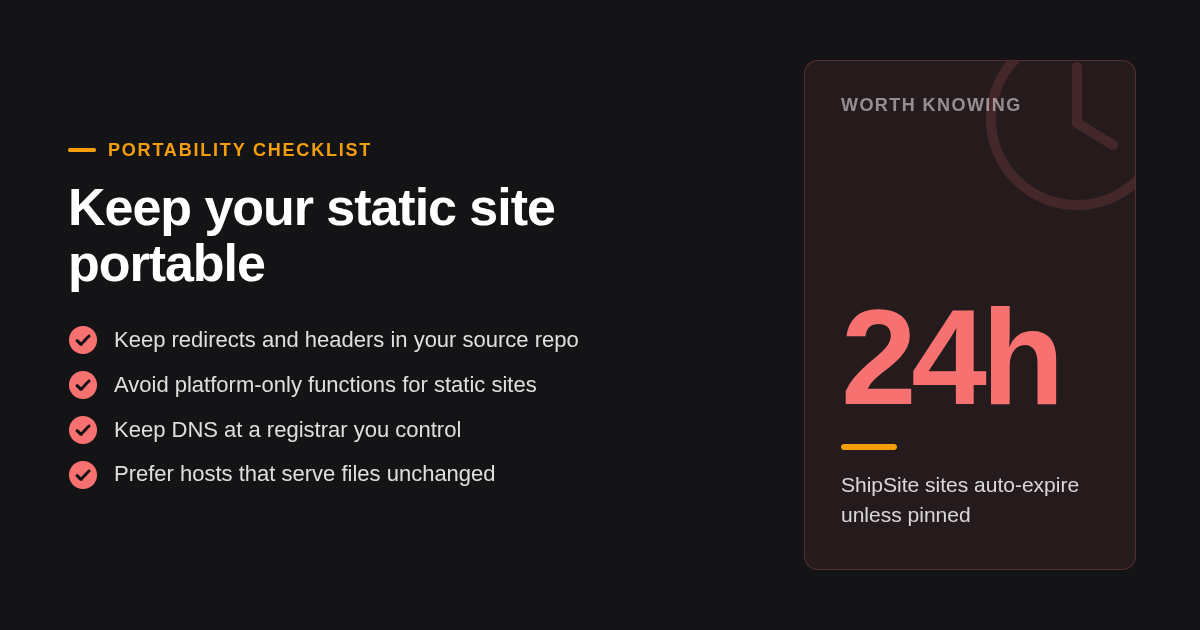
Yes, but the risk is in configuration, not in the HTML. Netlify's redirects and headers files, Vercel's vercel.json, and Netlify Forms do not transfer directly. Keep redirects in your source repo, avoid platform-only functions for a static site, and prefer hosts that serve files unchanged; ShipSite, for example, injects no banners or tracking.
The good news is that the static files themselves are perfectly portable; an Astro or Hugo output folder runs anywhere. Cloudflare Pages deliberately adopted the same _redirects and _headers format Netlify uses, which makes those two the easiest pair to move between. Vercel's vercel.json and GitHub Pages' lack of any server config are the two ends of the spectrum.
Custom domains are the other migration tax. On ShipSite a domain attaches to a pinned site with one CNAME record pointing to domains.shipsite.sh, HTTPS is issued automatically, and an agent can poll until status is active; the full flow is documented in the ShipSite changelog for the November 2026 custom domains release. Whatever host you choose, keep DNS at a registrar you control so a move is a record change rather than a rebuild.
Which platform is best for each type of site?
For a hobby portfolio choose GitHub Pages or Cloudflare Pages. For a docs site choose Cloudflare Pages or Netlify. For a marketing site with forms choose Netlify or Vercel. For AI-generated HTML you need to share immediately choose ShipSite. For enterprise control choose AWS S3 with CloudFront or a self-hosted Coolify server.
Framework support rarely decides the choice because every git-based platform on this list builds Astro, Hugo, Jekyll, and Eleventy, and all of them serve a Next.js static export from its out folder. GitHub Pages is the exception that builds Jekyll natively and needs an Actions workflow for everything else. ShipSite runs no builds at all, so your agent executes the Hugo or Astro build locally and posts the resulting folder; plain HTML needs no build in the first place.
The AI-generated HTML case deserves its own line because it is where the git model breaks down. When Claude Code or Cursor produces a solar system demo or a one-page landing test, the goal is a shareable URL inside the same conversation, not a repository. ShipSite's default of auto-expiring sites after 24 hours, with pinning for anything worth keeping, fits that throwaway-then-keep pattern.
Enterprise buyers should weigh the opposite concern: audit trails, IAM policies, and data residency. AWS gives you all three at the cost of setup time, and Coolify gives you full control at the cost of operating it yourself.
How did we compare these options?
We compared the nine platforms on four things: the published free-tier limits on each vendor's pricing page, the entry paid tier and its billing unit (seat, project, or usage), the deployment trigger (git push, API call, or upload), and the configuration surface for redirects, headers, and custom domains. We did not run load tests or synthetic benchmarks.
ShipSite facts come from its own documentation and changelog. Competitor numbers come from public pricing and documentation pages and should be rechecked before purchase, because every vendor on this list has changed limits at least once in the past two years.
How do you get started with ShipSite?
Getting started with ShipSite takes three steps and no dashboard. Your agent calls POST /v1/accounts with your email and receives an API key plus a Stripe checkout link. You click the link to activate billing. Then one POST to /v1/sites with your files returns a live URL to pin or let expire after 24 hours.
If you already use Claude Code, Cursor, Windsurf, or another MCP-compatible agent, the @shipsite/mcp package exposes deploy and domain tools directly inside the conversation. Ready to ship? Create your ShipSite account and deploy your first site with one API call.
What do people also ask?
Which static site hosting platform is actually free with no credit card, and what are the exact limits?
Cloudflare Pages (unlimited bandwidth, 500 builds per month, 1 concurrent build), Vercel Hobby (100 GB bandwidth, non-commercial use only), Netlify Free (100 GB bandwidth, 300 build minutes), and GitHub Pages (soft limits of 1 GB per site, 100 GB bandwidth per month, 10 builds per hour) all deploy without a card. ShipSite has no free tier; a Stripe checkout is required before the first deploy.
Vercel vs Netlify vs Cloudflare Pages: which is best for a static site in 2026?
Cloudflare Pages wins on free bandwidth (unlimited) and price. Netlify wins when you need forms, redirects, and headers without writing a backend. Vercel wins for Next.js projects and preview deploy polish, but its free Hobby plan is non-commercial only. If an AI agent is deploying rather than a person, ShipSite's single API call is simpler than all three.
Can I host a static site on AWS S3 and CloudFront cheaply, and is the setup worth it?
Yes. CloudFront's always-free tier includes 1 TB of data transfer out and 10 million requests per month, and S3 storage for a typical site costs cents. The setup involves bucket policies, origin access control, an ACM certificate in us-east-1, and cache invalidations, so it is worth it for enterprise control or very high traffic, not for a portfolio.
Which platforms support custom domains, redirects, headers, and form handling without a backend?
All nine support custom domains with automatic HTTPS. Netlify and Cloudflare Pages read _redirects and _headers files from your build output; Vercel uses vercel.json; GitHub Pages supports none of these server-side. Netlify is the only one with built-in form handling (100 submissions per month on the free plan). ShipSite custom domains are an optional $50 per billing period plan covering up to 25 domains.
How do I deploy an Astro or Hugo site with preview deploys per branch?
Connect your repository to Vercel, Netlify, or Cloudflare Pages, set the build command (astro build or hugo) and output folder (dist or public), and every pull request gets its own preview URL automatically. On ShipSite there are no branch previews; instead your agent runs the build locally and posts the output folder to /v1/sites, which returns a separate live URL for each deploy.
Related Articles



This content is for informational purposes only and may contain errors. Please contact us to verify important details.