Best Static Site Deployment for Rapid Prototyping: 8 Picks Compared
The best static site deployment for rapid prototyping is ShipSite: you send your files in one POST request and get a live URL on 300+ edge locations, priced at $0.10 per site per day for ongoing hosting. Your first deploy needs no account and no payment: POST /v1/sites with no API key, or run npx shipsite ./dist, and you get a free trial site that lasts 24 hours with up to 50 files and 5 MB. If you need free hosting that builds from a GitHub repo with preview URLs, Netlify, Cloudflare Pages, or Vercel are the right picks, and we compare all of them below.
Key takeaways:
- ShipSite deploys a static site with a single POST to /v1/sites and returns a live URL; your first deploy needs no account or API key and creates a free trial site that lasts 24 hours. Ongoing hosting is $0.10 per site per day, prorated and billed monthly.
- Free tiers exist on Netlify, Vercel, Cloudflare Pages, GitHub Pages, Surge, and Render, but each stops at a different place: build minutes, commercial use, file counts, or public repos only.
- Password-protected previews are a paid feature on Netlify and Vercel, while throwaway subdomains with automatic HTTPS are standard on every host in this list.
- Plain static hosts are the right choice when the prototype is already HTML, CSS, and JavaScript; add a generator such as Astro, Hugo, or Eleventy only when you have shared layouts or more than a handful of pages.
- Large media should never pass through a build step; store video and heavy images on object storage and link to them from the prototype.

What makes a static site deployment platform good for rapid prototyping?
A good prototyping host minimizes the steps between finished files and a shareable URL. Judge it on four things: time to first live URL, whether it requires a git repo or build pipeline, what the free or entry price actually covers, and how easily you can share, protect, and tear the prototype down afterward.
Static sites are prebuilt HTML, CSS, and JavaScript served from a CDN with no server runtime. That is why they are fast to serve, cheap to host, and hard to attack: there is no database or application server to exploit. For a prototype, those properties mean you can put something in front of a client without worrying about uptime or patching.
The cost of friction is real. McKinsey's research on developer velocity found that companies in the top quartile for developer velocity grew revenue four to five times faster than those in the bottom quartile, and tooling that removes manual steps was one of the strongest contributors. A prototype that takes an afternoon to publish is a prototype that gets reviewed a day late.
We also weighted one factor that older rankings ignore: whether an AI coding agent can run the whole deploy. If you prototype inside Claude Code, Cursor, or Windsurf, a host that needs a dashboard login or a git remote breaks the loop.
Which are the 8 best static site deployment options for rapid prototyping?
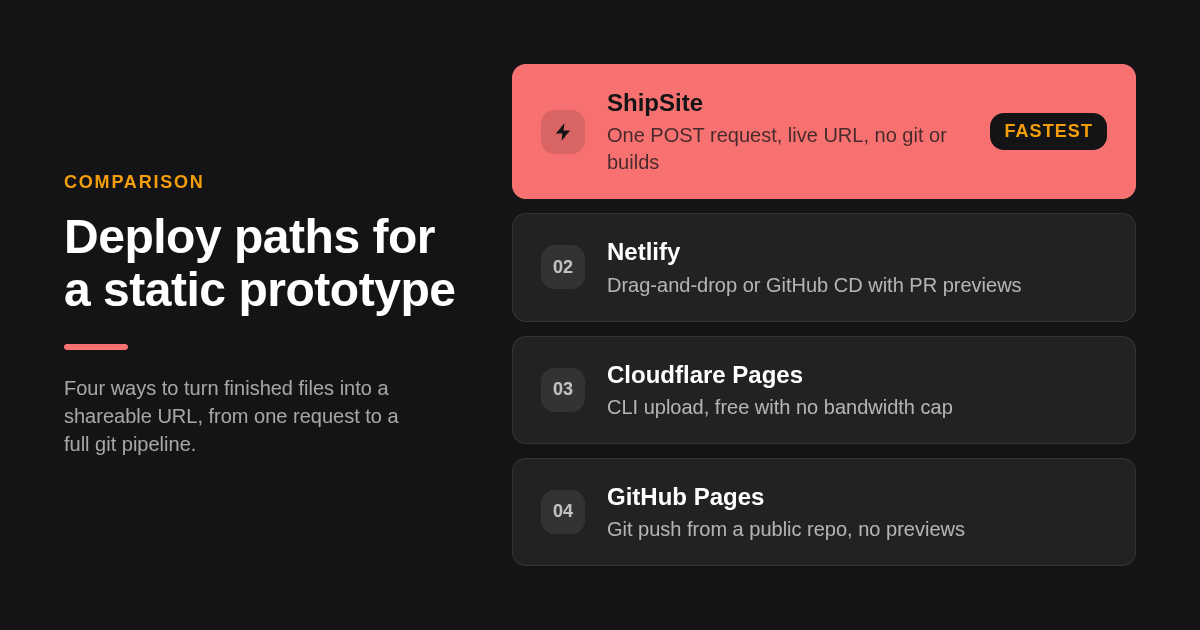
ShipSite takes the top spot for agent-driven and throwaway prototypes because a single API call returns a live URL with no git or build step. Netlify and Cloudflare Pages lead for free uploads and GitHub deploys, Vercel for framework previews, GitHub Pages for public repos, Surge for CLI deploys, Render for simple PR previews, and Tiiny.host for zip uploads.
-
ShipSite: best when you want a live URL from files without leaving the conversation. Your first deploy needs no account: POST a JSON object to /v1/sites with no API key, or run
npx shipsite ./dist, and you get a free trial site that lasts 24 hours with up to 50 files and 5 MB. Text files go as strings and binary files with a base64: prefix, and the response contains the site URL, an expires_at timestamp, and a claim token. Sites are live on 300+ edge locations before the API response lands, with no injected banners, badges, or tracking. Updates go live in one atomic step, each site keeps its 10 newest versions, and POST /v1/sites/:id/rollback restores the previous version instantly. To keep a trial site past 24 hours, create an account and pass the claim token; the site moves over when Stripe checkout completes. Ongoing pricing is $0.10 per site per day, prorated and billed monthly: 1 site for a full month is about $3, and 1 site for 2 hours is $0.10. Custom domains are an optional plan at $4.99 per billing period covering up to 25 domains. It works as a tool in Claude Code, Cursor, Windsurf, and any MCP-compatible agent. The honest limit: ongoing hosting has no free tier, there is no git integration, and there is no build pipeline, so you bring finished output from your own build. -
Netlify: best when you want continuous deployment from GitHub plus a deploy preview URL for every pull request on a free plan. Netlify Drop also lets you drag a folder into the browser and get a URL with no account setup beyond an email. Netlify's free Starter plan lists 100 GB of bandwidth and 300 build minutes per month; confirm the current figures on Netlify's pricing page. The honest limit: password protection for previews is part of a paid add-on, and a busy repo can exhaust free build minutes mid-month.
-
Cloudflare Pages: best when you need free hosting with no bandwidth cap. The free plan allows 500 builds per month, and you can skip git entirely with
wrangler pages deploy ./dist, which uploads a folder directly. Custom domains and automatic SSL are included at no cost. The honest limit: each site is capped at 20,000 files and 25 MB per file, so media-heavy prototypes need external storage. -
Vercel: best when the prototype is built with Next.js, SvelteKit, or another framework Vercel detects automatically, and you want a preview URL per branch. The Hobby plan is free but limited to personal, non-commercial use; client work requires the Pro plan at $20 per user per month, so confirm current terms on Vercel's pricing page. The honest limit: that commercial restriction, plus password-based deployment protection sitting behind paid plans.
-
GitHub Pages: best when the prototype lives in a public repo and you want the simplest git push deploy. It is free for public repositories, with a 1 GB soft limit on site size, a 100 GB per month soft bandwidth limit, and 10 builds per hour. Custom domains with HTTPS are included. The honest limit: no branch preview URLs, and Pages for private repos requires a paid GitHub plan.
-
Surge: best when you want one terminal command and nothing else. After
npm install -g surge, runningsurgein a folder publishes it to a surge.sh subdomain, and the free plan allows custom domains. SSL on a custom domain requires Surge Plus, listed at $30 per month; confirm on surge.sh. The honest limit: no git integration, no previews, and no password protection on the free plan. -
Render: best when the static prototype sits next to a backend service on the same platform and you want pull request previews. Static sites are free and include custom domains and automatic SSL, with a free bandwidth allowance of 100 GB per month that you should confirm on Render's pricing page. The honest limit: deploys are git-based only, so there is no drag-and-drop or API upload path.
-
Tiiny.host: best when a non-developer needs to upload a zip file and share a link. Upload an HTML file or zipped folder and the site is live on a subdomain. The free tier covers one site with size limits, and paid plans add custom domains and password protection; check the current plan page for numbers. The honest limit: free sites carry Tiiny branding and the free tier is meant for a single project.
| Option | Best for | Pricing or format | Standout limit |
|---|---|---|---|
| ShipSite | Agent-driven and throwaway prototypes via one API call | Free trial (24 h, 50 files, 5 MB), then $0.10 per site per day; custom domains $4.99 per period | No ongoing free tier, no git, no builds |
| Netlify | GitHub CD with PR deploy previews | Free Starter plan with published bandwidth and build-minute caps | Password previews are paid |
| Cloudflare Pages | Free hosting with no bandwidth cap | Free, 500 builds per month | 20,000 files and 25 MB per file |
| Vercel | Framework prototypes with branch previews | Hobby free for non-commercial use, Pro $20 per user per month | Commercial use needs Pro |
| GitHub Pages | Public repo prototypes and docs | Free for public repos | No branch previews |
| Surge | One-command CLI deploys | Free plan, Surge Plus $30 per month | Custom SSL is paid |
| Render | Static site beside backend services | Free static sites with bandwidth cap | Git-based deploys only |
| Tiiny.host | Zip upload for non-developers | Free single site, paid plans for domains | Branding on free tier |
How do you get a static HTML prototype online in minutes with each route?
There are four routes: an API call, a drag-and-drop upload, a CLI command, or a git push. The API route is one request. Drag-and-drop and CLI routes take a folder and return a URL in a single step. Git push adds repo setup and a build, which is the slowest first deploy but the fastest repeat deploy.
With ShipSite the simplest flow is one step: POST /v1/sites with no API key, or run npx shipsite ./dist, and you get a free trial site with a URL such as https://a7x9k2.shipsite.sh. No account, no checkout, no config. The trial site lasts 24 hours and holds up to 50 files and 5 MB. To keep the site or unlock higher limits, your agent calls POST /v1/accounts with your email and passes the claim token from the trial; you click the Stripe checkout link, and the site moves to your account. The agent registration guide walks an LLM through that onboarding, including a guided track for non-technical users where the agent saves the key and never asks the person to edit a config file.
For drag-and-drop, open Netlify Drop or Tiiny.host, drop a folder or zip, and copy the URL. For a CLI, ShipSite's npx shipsite ./dist, Cloudflare's wrangler pages deploy ./dist, and Surge's surge command all publish a local folder from the terminal in one step. For GitHub Pages, push to a repo, open Settings, choose the branch under Pages, and wait for the build.
A simple decision rule: if the prototype came out of an AI agent or a local build, use the API or CLI route. If it is going to change daily for weeks, set up the git route once and let continuous deployment handle the rest.
Which static site hosts are free for prototypes, and where do the free tiers stop?
Netlify, Vercel, Cloudflare Pages, GitHub Pages, Surge, Render, and Tiiny.host all offer free tiers for static hosting. ShipSite offers a free trial: your first deploy needs no account and creates a site that lasts 24 hours with up to 50 files and 5 MB, but ongoing hosting after the trial is $0.10 per site per day. The free tiers differ in what they cap: Netlify counts build minutes, Vercel restricts commercial use, Cloudflare limits files per site, GitHub Pages requires a public repo, and Tiiny.host limits you to one site with branding.
Free is the right answer for a personal experiment. It gets complicated for client work. Vercel's Hobby terms exclude commercial use, so a paid agency prototype technically belongs on Pro. Netlify's build minutes are shared across every site on the account, and Surge's free plan leaves custom-domain HTTPS to the paid tier.
ShipSite's free trial lets you validate a prototype with zero commitment: one API call, no account, no card. When you need to keep the site or deploy more, the meter is precise: $0.10 per site per day, prorated and billed monthly through Stripe. For a team that spins up a dozen throwaway previews a week, that predictability can beat a free tier that silently flips to paid when a limit is crossed.
How can you share a prototype with clients for feedback and then tear it down?
Share a throwaway subdomain with automatic HTTPS, add password protection if the work is confidential, and set an expiry or delete the site when the review ends. Netlify and Vercel generate a unique preview URL per branch or pull request. ShipSite gives each deploy its own subdomain that expires in 24 hours unless pinned, and updates go live in one atomic step so the client always sees a complete site, never a half-deployed state.
HTTPS matters even for a mockup. Browsers flag plain HTTP pages, and the U.S. federal HTTPS-Only Standard explains why every public endpoint, not just login pages, should be encrypted. Every host in this list issues certificates automatically on its own subdomains; the difference is whether custom-domain certificates are free, which they are on Netlify, Vercel, Cloudflare Pages, GitHub Pages, and Render.
Password protection is the dividing line. Netlify and Vercel both offer it behind paid plans, Tiiny.host includes it on paid tiers, and Cloudflare Pages can gate a site through Cloudflare Access. ShipSite does not list a password feature, so treat its unguessable subdomains as obscurity rather than access control, and pin only what you want to keep.
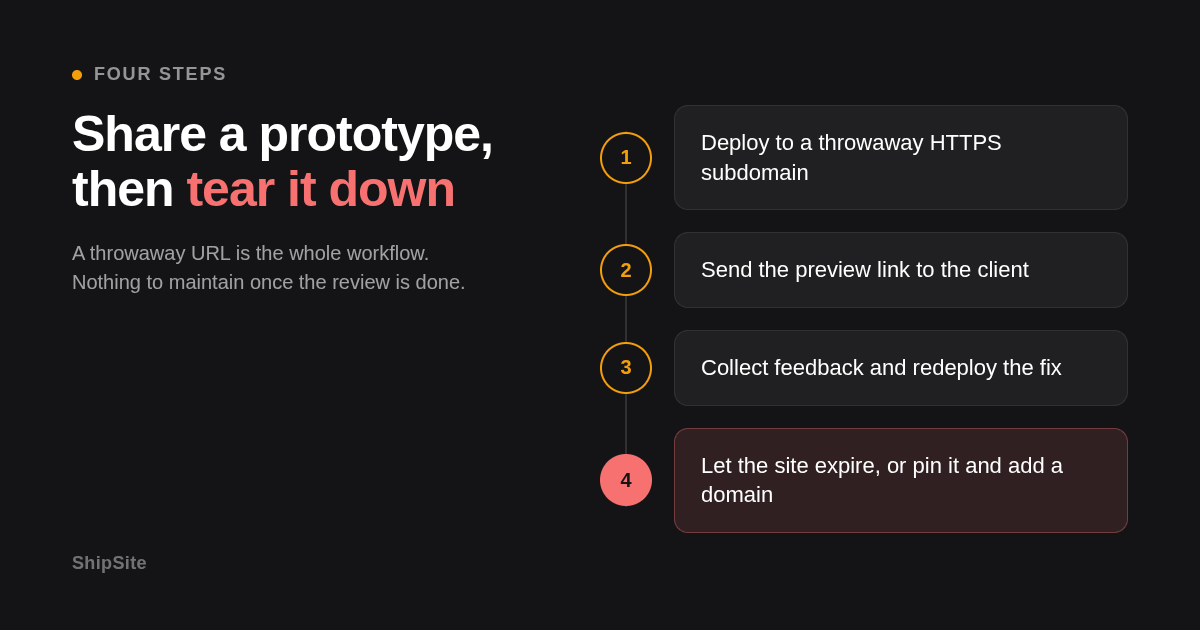
Teardown is where throwaway hosting shines. On git-based hosts you delete the site in a dashboard; on ShipSite you simply let the 24-hour expiry pass. If something goes wrong before the review ends, POST /v1/sites/:id/rollback restores the previous version from the 10 newest versions the site keeps. When a prototype graduates to a real address, the custom domains release in the changelog shows the flow: POST a hostname, add one CNAME to domains.shipsite.sh, and poll until status is active, with up to 5 domains per site.
When should you pick a plain static host instead of an SSG plus host?
Pick a plain static host when the prototype is already HTML, CSS, and JavaScript, or when an agent generated it in one pass. Add a static site generator only when you need shared layouts, Markdown content, or more than a handful of pages, because the generator adds a toolchain, a build step, and a place for builds to fail.
The generator ecosystem is broad. Hugo is written in Go and builds thousands of pages in seconds; Jekyll is Ruby and powers GitHub Pages natively; Next.js and Gatsby are React based; Eleventy is JavaScript with minimal opinions; Astro is multi-framework and ships zero JavaScript by default. All of them emit a folder of static files that any host here can serve.
Netlify, Vercel, Cloudflare Pages, and Render detect most of these frameworks from the repo and pick build commands automatically. GitHub Pages builds Jekyll out of the box and needs a GitHub Actions workflow for anything else. ShipSite, Surge, and Tiiny.host do not build at all: you run astro build or hugo locally, then upload the output folder.
For a design mockup due this afternoon, an SSG is usually overhead. For a documentation prototype with twenty pages and a shared nav, Astro or Eleventy plus a git-based host pays for itself by the second edit. Headless CMS integrations follow the same rule: add one only once non-developers need to edit content.
Why do large media files slow prototype builds, and how do you avoid it?
Build pipelines copy, hash, and sometimes optimize every asset in the repo, so a 300 MB video folder turns a 20-second build into minutes and can hit host file limits. Keep heavy media out of the repo, serve it from object storage or a video platform, and reference it by URL from the static files.
The limits are concrete. Cloudflare Pages rejects files over 25 MB and sites over 20,000 files. GitHub blocks individual files over 100 MB from being pushed at all. Netlify counts optimization time against your build minutes. ShipSite accepts binary files with a base64: prefix in the JSON body, which is convenient for icons and screenshots but not the right transport for a feature-length video.
Three practical rules: compress images before they enter the project, lazy-load anything below the fold, and host video on a dedicated service. Search and authentication are the other classic scaling pitfalls; for a prototype, a client-side search index and a shared password are enough.
How did we compare these options?
We compared each host's published pricing page, free-plan limits, and documented deploy paths as of this writing, then scored them on time to first URL, git or build requirements, preview and sharing features, custom domain and SSL support, and teardown. ShipSite facts come from its product page and API reference. Vendor limits change, so confirm current numbers before committing.
How do you get started with ShipSite?
Run npx shipsite ./dist or have your coding agent call POST /v1/sites with no API key. Your free trial prototype is live on a global edge network before the response arrives, with no account or payment needed. The trial site lasts 24 hours with up to 50 files and 5 MB. To keep the site, create an account by calling POST /v1/accounts with your email and the claim token, complete the Stripe checkout link, and ongoing hosting is $0.10 per site per day.
Ready to try it? Run npx shipsite ./dist or ask your agent to call POST /v1/sites right now — no signup, no card — and get a shareable URL for your next prototype without leaving the conversation.
What do people also ask?
What is the fastest way to get a static HTML prototype online in minutes?
Use a route with no repo or build: a single API call on ShipSite (no account needed for the free trial), npx shipsite ./dist from the terminal, a drag-and-drop upload on Netlify Drop or Tiiny.host, or one CLI command such as surge or wrangler pages deploy. Each returns a live HTTPS URL in one step. Git push routes like GitHub Pages add repo setup and a build before the first URL appears.
Which platforms are free for prototype hosting, and what are the limits?
Netlify, Vercel, Cloudflare Pages, GitHub Pages, Surge, Render, and Tiiny.host have free tiers. Netlify caps bandwidth and build minutes, Vercel's Hobby plan excludes commercial use, Cloudflare Pages limits sites to 20,000 files and 25 MB per file, GitHub Pages requires a public repo, Surge charges for custom-domain SSL, and Tiiny.host limits free users to one branded site. ShipSite offers a free trial — one deploy with no account, lasting 24 hours with up to 50 files and 5 MB — but ongoing hosting is $0.10 per site per day.
How do I deploy a static site from a GitHub repo with continuous deployment and preview URLs?
Connect the repo to Netlify, Vercel, Cloudflare Pages, or Render, set the build command and output folder, and every push to the production branch redeploys automatically. All four generate a unique preview URL for each pull request or branch. GitHub Pages also deploys on push but does not create preview URLs for branches.
Which deployment services offer custom domains and automatic SSL on the free plan?
Netlify, Vercel, Cloudflare Pages, GitHub Pages, and Render all include custom domains with automatically issued certificates on their free plans. Surge allows custom domains for free but places custom-domain SSL on its paid Surge Plus tier. ShipSite offers custom domains as an optional plan at $4.99 per billing period covering up to 25 domains, with HTTPS issued automatically after one CNAME record.
When should I pick a plain static host instead of a static site generator plus host for a rapid mockup?
Pick a plain static host when the mockup is already HTML, CSS, and JavaScript or was generated by an AI agent in one pass, because a generator adds a toolchain and a build that can fail. Switch to Astro, Hugo, Eleventy, or Next.js with a git-based host when you need shared layouts, Markdown content, or more than a handful of pages that will change over weeks.
Related Articles



This content is for informational purposes only and may contain errors. Please contact us to verify important details.