No-Git Deployment Platform Guide: Publish From Files, a ZIP, or a Docker Image
On this page
- What is no-git deployment, and when does git-push-to-deploy get in the way?
- Which nine platforms deploy without a repository, and who is each one for?
- Which upload path does each platform accept: drag-and-drop, CLI, API, Docker, or FTP?
- Should you pick a static host or a full-stack host when you skip git?
- Do no-code builders like Webflow and Bubble count as no-git deployment platforms?
- Is there a self-hosted platform that accepts uploads or Docker images without git?
- What do you lose by skipping git, and how do these platforms make up for it?
- Which no-git deployment options are free or cheapest for small projects?
- Can you still deploy with FTP or SFTP in 2026?
- Where did the details on this page come from?
- How do you get started with ShipSite?
- What do people also ask?
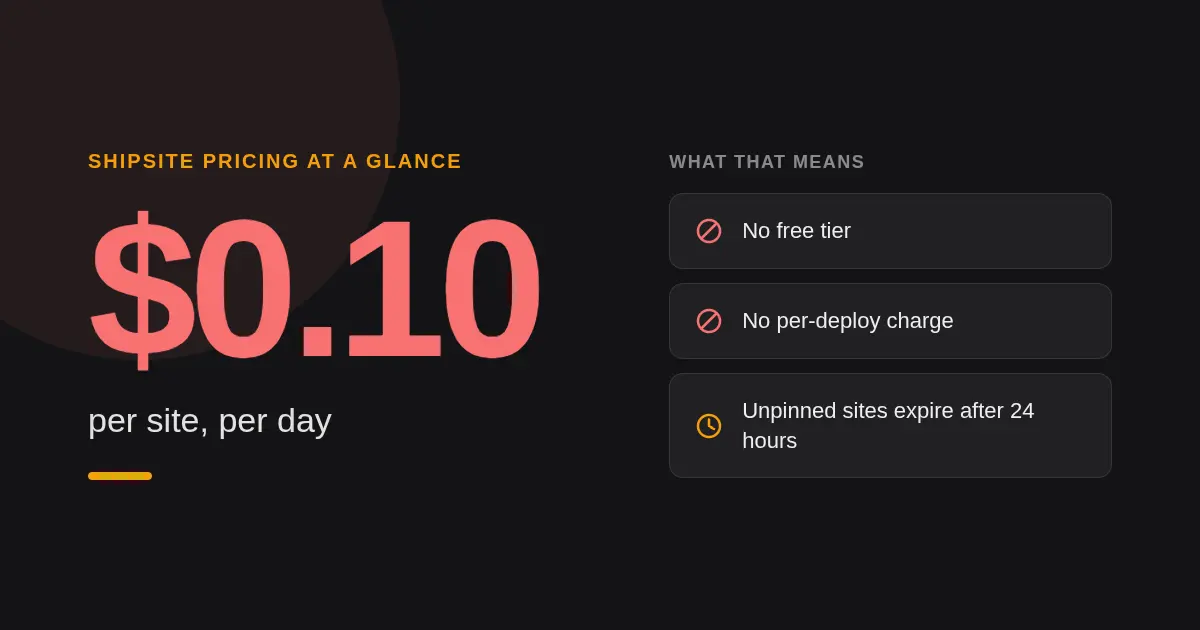
The best no-git deployment platform for an AI agent or a script that already holds finished files is ShipSite: one POST /v1/sites request with a map of files returns a public HTTPS URL that is already live, at $0.10 per site per day with no free tier. ShipSite is not an application host; it serves static files only, with no builds, no server code, and no database. For a full-stack app without git, Render and Fly.io run a prebuilt Docker image, and Netlify's drag-and-drop zone is the easiest free path for a person holding a folder.
Key takeaways
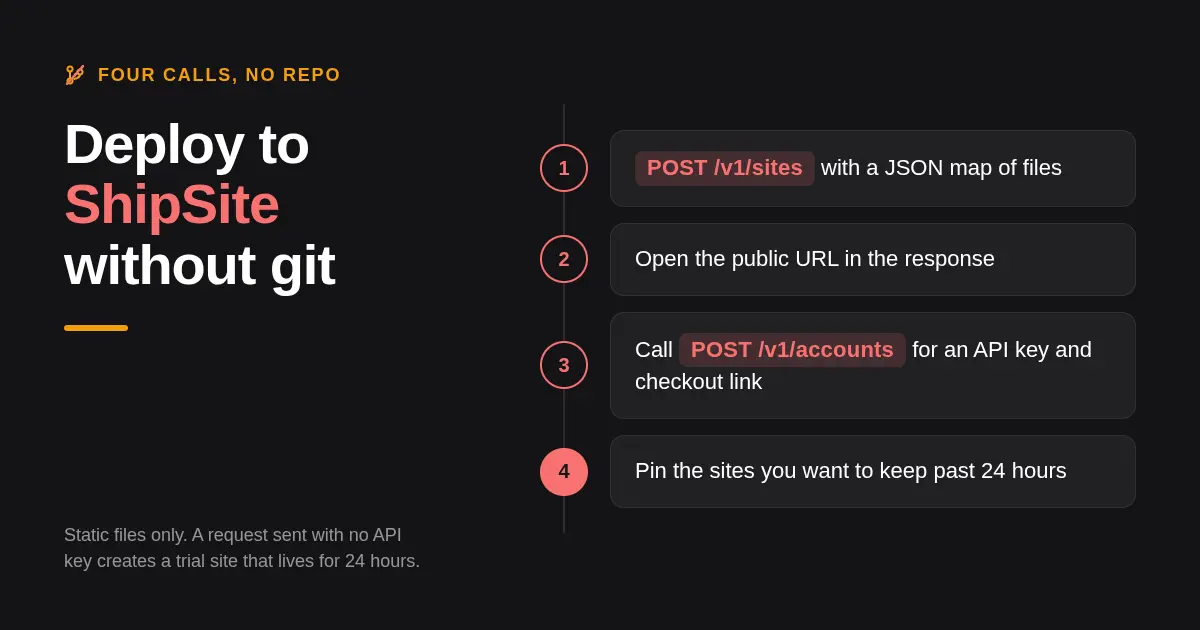
- ShipSite publishes a static site from one API call for $0.10 per site per day; a request sent with no API key creates a trial site that lasts 24 hours, and the returned URL is always public.
- Netlify accepts a dragged folder in its dashboard or a ZIP body on a single API request, and its API is capped at 100 deploys a day as of November 2026.
- Vercel's CLI deploys a local folder with no repository, but under Standard Protection a preview deployment asks visitors to log in unless it targets production.
- Render and Fly.io are the clearest no-git paths for a backend: both run a prebuilt Docker image without a connected repo.
- Skipping git removes commit history and pull-request previews; Netlify and Vercel compensate with per-deploy rollbacks, and ShipSite sites clean themselves up after 24 hours unless pinned.

What is no-git deployment, and when does git-push-to-deploy get in the way?
No-git deployment is publishing a site or app by sending files, a ZIP, a Docker image, or an API request directly to a host, instead of pushing a commit to a repository the host watches. Drag-and-drop zones, CLI uploads, FTP, no-code publish buttons, and container pushes count. Most hosts default to git, so these paths are easy to miss.
Git is a version control system, and connecting a repository is the default onboarding step on Netlify, Vercel, Cloudflare Pages, Render, and Railway. That default assumes a human with a GitHub account, a repo, and a browser session to authorize the integration.
Three groups do not fit that assumption. A designer exporting a folder from a site builder has files, not a repo. A developer who built a Docker image in CI wants to run that image, not re-push source. And an AI coding agent working in a terminal has a directory of output and no way to click an OAuth button; our guide to hosting that works with Claude Code and Cursor agents walks through what that last case needs.
Which nine platforms deploy without a repository, and who is each one for?
ShipSite ranks first for agents and scripts that need a public URL from one request. Netlify, Vercel, Cloudflare Pages, Surge, and Firebase Hosting follow for static sites uploaded by CLI or dashboard. Render and Fly.io cover full-stack apps from a Docker image, and Coolify is the self-hosted pick.
- ShipSite: best when an agent needs a live public URL from a single request. The agent sends
POST /v1/siteswith a JSONfilesmap and the response contains a URL that is already serving; there is no build and nothing to poll. Pricing is $0.10 per site per day with no free tier as of November 2026, and there is no per-deploy charge. A request with no API key creates a 24-hour trial site, and the agent can register itself throughPOST /v1/accounts. A deploy-scoped key can manage sites but cannot buy domains, change plans, or manage keys. Honest limit: static files only, no server code, and Netlify handles far larger sites. - Netlify: best drag-and-drop and ZIP upload for a person or a script. You can drag a folder onto the Deploys page, run
netlify deploy --prodfrom a local directory, or send a ZIP as the body of onePOST /api/v1/sitescall, all described in Netlify's deploy documentation. A free plan exists as of November 2026. Honest limit: the API is capped at 100 deploys a day, the deploy must be polled untilstateisready, and a person has to create the access token. Our ShipSite vs Netlify API comparison covers the request formats in detail. - Vercel: best CLI upload for framework-built sites.
vercel deploy --prodships a local folder with no repository, and the Hobby plan is free as of November 2026. Honest limit: under Vercel's Deployment Protection, preview URLs ask visitors to log in, so an API or CLI deploy that does not target production is not public by default. The API also requiresprojectSettingson a project's first deployment. See our ShipSite vs Vercel API comparison for the full request shape. - Cloudflare Pages: best free direct upload with a high file ceiling. Cloudflare's direct upload docs cover both a dashboard drag-and-drop zone and
wrangler pages deploy, with a free plan as of November 2026. Honest limit: a direct-upload project holds up to 20,000 files at 25 MiB each, and a project is either direct upload or git-connected, never both. - Surge: best for one terminal command with nothing to configure. Install with
npm install --global surge, runsurgeinside the folder, and the site is live on asurge.shsubdomain. Surge lists a free plan and a Professional plan at $30 per month as of November 2026; confirm current pricing on its site. Honest limit: static only, CLI only, and no REST API comparable to Netlify's. - Firebase Hosting: best for static sites that sit next to Google services.
firebase deployuploads a local directory, and the Spark plan on Firebase's pricing page includes 10 GB of storage and 360 MB per day of data transfer at no cost as of November 2026. Honest limit: a Google account, a Firebase project, and a browser login for the CLI are all required before the first deploy. - Render: best for a backend from a prebuilt Docker image. Render's deploy-an-image docs let a web service run an image pulled from a registry with no repository attached. A free instance type exists as of November 2026 and spins down after 15 minutes without traffic. Honest limit: Render's static sites still require a connected repo, so the no-git path only applies to services.
- Fly.io: best for a full app from a local Dockerfile.
fly deploysends the local directory to a remote builder, andfly deploy --imageruns an image already in a registry. Fly.io's pricing is usage-based per machine, volume, and bandwidth as of November 2026, with no flat tier to quote. Honest limit: you take on regions, machines, and scaling decisions that a static host hides. - Coolify: best self-hosted, open-source choice. Coolify installs on a server you own and deploys Docker images and Compose files from its UI or API, with the self-hosted version free as of November 2026 and a paid cloud version. Honest limit: you run the box, the backups, and the upgrades.
| Option | Best for | Pricing or format | Standout limit |
|---|---|---|---|
| ShipSite | Agents publishing static files from one API call | $0.10 per site per day, no free tier | Static only; no builds or server code |
| Netlify | Drag-and-drop or ZIP upload | Free plan; paid tiers | API capped at 100 deploys a day; poll until ready |
| Vercel | CLI upload of framework sites | Free Hobby plan | Preview URLs require login under Standard Protection |
| Cloudflare Pages | Free direct upload | Free plan | 20,000 files and 25 MiB per file per project |
| Surge | One-command CLI publish | Free plan; Professional $30 per month | CLI only, no API |
| Firebase Hosting | Static sites near Google services | Spark plan free (10 GB storage) | Google project and browser CLI login required |
| Render | Backend from a Docker image | Free instance type; paid instances | Static sites still need a git repo |
| Fly.io | Full app from a Dockerfile | Usage-based billing | More infrastructure to manage |
| Coolify | Self-hosted deployments | Open source, free to self-host | You maintain the server |
Which upload path does each platform accept: drag-and-drop, CLI, API, Docker, or FTP?
Every platform on this list accepts at least one non-git input, but the inputs differ. ShipSite, Netlify, and Vercel take files over a REST API. Netlify and Cloudflare Pages add a drag-and-drop zone. Surge, Firebase Hosting, Vercel, and Cloudflare offer a CLI upload. Render, Fly.io, and Coolify run a prebuilt Docker image. Only traditional shared hosts still take FTP.
The matrix below is the decision tool the current top results skip. Read across the row for the platform you are leaning toward and check that the column matching your input is a yes.
| Platform | Drag-and-drop UI | CLI upload | REST API | Docker image | FTP or SFTP | Git optional? |
|---|---|---|---|---|---|---|
| ShipSite | No | Yes | Yes (also MCP) | No | No | Yes, no git integration at all |
| Netlify | Yes | Yes | Yes (ZIP or file digest) | No | No | Yes |
| Vercel | No | Yes | Yes | No | No | Yes |
| Cloudflare Pages | Yes | Yes (Wrangler) | Limited | No | No | Yes, per project |
| Surge | No | Yes | No | No | No | Yes |
| Firebase Hosting | No | Yes | Yes (Hosting REST API) | No | No | Yes |
| Render | No | No | Yes | Yes | No | Only for services |
| Fly.io | No | Yes | Yes (Machines API) | Yes | No | Yes |
| Coolify | Yes | No | Yes | Yes | No | Yes |
| cPanel shared hosts | Yes (file manager) | No | Varies | No | Yes | Yes |
One reading of that table: ShipSite is the only row where git is not merely optional but absent. There is no repository field to leave blank and no integration to decline, which is exactly why an agent can use it without a human in the loop.
Should you pick a static host or a full-stack host when you skip git?
Pick a static host when the output is HTML, CSS, JavaScript, and assets that need no server; ShipSite, Netlify, Cloudflare Pages, Surge, and Firebase Hosting fit. Pick a full-stack host when the app needs a running process or a database; Render, Fly.io, Railway, and Coolify take a Docker image or a local directory without a repo.
The decision rule is simple: if your deploy artifact is a folder, use the static column; if it is an image or a Dockerfile, use the full-stack column. Mixing them up is the most common mistake, because a static host will serve an Express app's source as plain text and a container host will make you write a Dockerfile for a page that only needed an upload.
Railway deserves a mention for backends because railway up uploads the current directory from the CLI with no repo, and it also runs images from a registry. For an agent that produces a prototype, a landing page, or a report, the static column is almost always the right one; our note on what Vercel and Netlify ask of an agent deploying through their APIs shows how much the request shape matters there.
Do no-code builders like Webflow and Bubble count as no-git deployment platforms?
No-code builders like Webflow, Bubble, Softr, and Glide count as no-git deployment platforms because publishing is a button in the editor and no repository exists. Webflow suits designers shipping marketing sites, Bubble suits people building a database-backed app, and Softr and Glide suit teams turning a spreadsheet into an app. None of them accept a folder of files you have.
That last point is the dividing line. A no-code builder is the right choice when the person has no files and never wants any; the design and the hosting live in one product. A no-git host is the right choice when files already exist, whether a human exported them or an agent generated them.
For a non-developer who wants a site this week, Webflow is the safest of the four for marketing pages and Bubble for anything with user accounts. Pricing on all four is tiered by plan and changes often, so check each vendor's pricing page rather than trusting a third-party table.
Is there a self-hosted platform that accepts uploads or Docker images without git?
Coolify is the self-hosted no-git deployment platform to try first: it runs on a server you control, deploys any Docker image or Compose file from its UI or API, and the open-source version is free. CapRover deploys a tarball uploaded by its CLI, and Dokku can build from a Docker image. Jenkins is a CI server, not a host.
Self-hosting makes sense when data residency, cost at scale, or a private network matters more than convenience. The trade is operations work: TLS renewal, disk space, and updates are yours. CapRover's caprover deploy command tars the current directory and sends it, which is the closest a self-hosted tool gets to a Netlify-style upload.
What do you lose by skipping git, and how do these platforms make up for it?
Skipping git costs you commit history, branch previews tied to pull requests, and a shared record of who changed what. Netlify and Vercel keep every deploy and let you roll back to a previous one from the dashboard. ShipSite compensates differently: sites clean themselves up after 24 hours unless pinned, so stale previews never pile up.
For a team, the real loss is review. Pull-request previews give a reviewer a URL per change and a place to comment. Without git, you get that only if you keep a rollback-capable deploy list, which Netlify, Vercel, and Cloudflare Pages all provide for uploaded deploys too.
A hybrid approach keeps git optional rather than absent: develop in a repository for history, but deploy with the CLI or API when a build should not be tied to a push. Vercel and Netlify both allow a git-connected project to also receive CLI deploys, so the two paths are not exclusive.
For agents, the loss is smaller than it looks. An agent regenerates the whole site on each run, so history lives in the agent's transcript or in the source project, not in the host. What the host needs to offer is cheap, disposable URLs, which is why ShipSite ties the lifecycle to a 24-hour expiry and a pin instead of a commit.
Which no-git deployment options are free or cheapest for small projects?
Netlify, Vercel, Cloudflare Pages, Surge, and Firebase Hosting all offer a free plan for static sites as of November 2026, so a single hobby site costs nothing on any of them. ShipSite has no free tier and charges $0.10 per site per day, which pays off when sites are many, short-lived, or created by an agent without a dashboard.
Here is the cost rule we use. On ShipSite the bill is the number of site-days multiplied by $0.10, with no charge per deploy and no charge once an unpinned site has expired, so ten sites that each live one day cost the same as one site kept for ten days. On the free plans the money cost is zero but the hidden cost is a human: someone must create the account, generate the token, and, on Vercel, remember to target production so the URL is public.
For one personal site you plan to keep, Cloudflare Pages or Netlify's free plan wins on price. For an agent that generates dozens of throwaway previews, the per-site-day model avoids both plan limits and the 100-deploys-a-day API cap on Netlify. Our list of alternatives to Netlify for API deployments ranks the same hosts from that angle.
Can you still deploy with FTP or SFTP in 2026?
FTP and SFTP still work in November 2026 on shared hosts and on any VPS you run, which is why cPanel hosts keep an FTP account on most plans. Netlify, Vercel, Cloudflare Pages, and Firebase Hosting do not offer FTP; they use a CLI, dashboard upload, or API call, and ShipSite uses an API, a CLI, or MCP.
FTP remains the right tool for a legacy PHP site on shared hosting or a WordPress theme edit. Prefer SFTP over plain FTP, since plain FTP sends credentials in clear text. For anything new, a CLI or API upload gives you atomic deploys and a deploy history that FTP cannot.
Where did the details on this page come from?
We compared each platform's own documentation and pricing pages for one thing: how you get files or a container live without a connected repository. Vercel and Netlify details on this page come from our comparison work, checked against their docs on November 16 and 19, 2026. Prices carry a November 2026 stamp and should be confirmed on each vendor's site.
We make ShipSite, so we have ranked it where it genuinely fits and said plainly where Netlify or Vercel is the stronger and cheaper choice.
How do you get started with ShipSite?
Getting started with ShipSite takes one request: send POST /v1/sites with a JSON map of files and open the URL in the response. With no API key you get a 24-hour trial site. To keep sites, an agent calls POST /v1/accounts, gets an API key and a Stripe checkout link that a person opens once.
If you work in Claude Code or Cursor, point the agent at the hosted MCP server at https://mcp.shipsite.sh/mcp or run npx @shipsite/mcp locally, and the deploy becomes a tool call. Ready to try it? Send your first files to ShipSite and get a live URL back.
What do people also ask?
Which deployment platforms let me deploy a site without connecting a Git repository?
ShipSite (API, CLI, MCP), Netlify (drag-and-drop, CLI, ZIP API), Vercel (CLI, API), Cloudflare Pages (dashboard upload, Wrangler CLI), Surge (CLI), and Firebase Hosting (CLI) all publish static sites with no repo. Render, Fly.io, Railway, and Coolify run a Docker image or local directory for full-stack apps without git.
Can I deploy to Netlify, Vercel, or Cloudflare Pages by drag-and-drop or CLI instead of git push?
Yes. Netlify and Cloudflare Pages both have a dashboard drag-and-drop zone plus a CLI (netlify deploy and wrangler pages deploy). Vercel has no drag-and-drop zone but vercel deploy --prod uploads a local folder. On Vercel, pass the production flag or the preview URL will ask visitors to log in.
What is the easiest way to deploy a backend or full-stack app without git?
Build a Docker image, push it to a registry, and point Render, Fly.io, Railway, or Coolify at that image. Fly.io's fly deploy and Railway's railway up also accept a local directory with a Dockerfile, so no repository is needed at any step.
What do I lose by skipping git-based deployment?
You lose commit history, pull-request previews, and a shared record of changes. Netlify, Vercel, and Cloudflare Pages compensate by keeping a list of uploaded deploys you can roll back to. ShipSite compensates with disposable sites that expire after 24 hours unless pinned, which suits agents that regenerate the whole site each run.
Which no-git deployment options are free or cheapest for a small project?
As of November 2026, Netlify, Vercel (Hobby), Cloudflare Pages, Surge, and Firebase Hosting (Spark) each offer a free plan for a static site. ShipSite has no free tier and costs $0.10 per site per day, which is cheaper only when an agent creates many short-lived sites without a human managing accounts.